Cam2You
From your GoPro to your YouTube channel, without the busywork.
Cam2You gets the videos off your GoPro, lets you cut and join them, and uploads them to your YouTube channel — as one video or as a playlist. It is made by TIE-Games, an independent studio in Dresden, Germany.
Download
WINDOWS 10 AND 11, 64-BIT
- The installer asks where to install and whether to put a shortcut on the desktop. No administrator rights are needed.
- The installer isn't code-signed yet: if Windows says Windows protected your PC, click More info, then Run anyway.
- To remove Cam2You: Windows Settings → Apps → Installed apps → Cam2You → Uninstall.
ANDROID 10 OR NEWER
Open this page in Chrome first. It is open inside another app (Telegram, WhatsApp, Gmail…), which can't download files: there the button below does nothing.
If nothing happens: tap ⋮ or ⋯ at the top, then Open in Chrome or Open in browser.
Downloading Cam2You… It's a large file: give it a minute or two.
- When it's finished, tap Open in the message at the bottom of Chrome.
- No Open, or the message is gone? Tap ⋮ at the top right of Chrome, then Downloads, and tap the file there. Or open the Files app (on Xiaomi phones File Manager), then Downloads, and tap the file.
- Tap Install.
- Open this page in your phone's browser (Chrome — not inside another app) and tap the button. When the download is finished, tap Open in the message at the bottom, then Install. Missed it? Chrome's ⋮ → Downloads has the file: tap it there.
- The first time, Android asks whether your browser may install apps: allow it, go back and tap Install again.
- Cam2You isn't in the Play Store yet, so Google Play Protect may not know it: tap More details, then Install anyway.
- Later Cam2You installs its new versions itself: tap Update when it says one is out. You won't need this page again.
MACOS 12 OR NEWER, APPLE SILICON AND INTEL
- Open the downloaded disk image and drag Cam2You into Applications.
- Cam2You isn't notarized by Apple yet, so the first time you start it macOS says it can't check it: click Done, open System Settings → Privacy & Security, and next to “Cam2You” was blocked click Open Anyway. On macOS 14 and older, Control-click Cam2You in Applications and choose Open.
- Later Cam2You updates itself: click Update when it says a new version is out.
LINUX, 64-BIT (UBUNTU 22.04 OR NEWER, FEDORA AND THE LIKE)
- One file, nothing to install: make it executable (in its Properties, Allow executing file as program, or
chmod +x) and open it. - Your YouTube sign-in is kept in the system's keyring (GNOME Keyring, KWallet).
- Later Cam2You updates itself: click Update when it says a new version is out.
IPHONE AND IPAD
Cam2You for iPhone and iPad is coming to the App Store.
See it in action
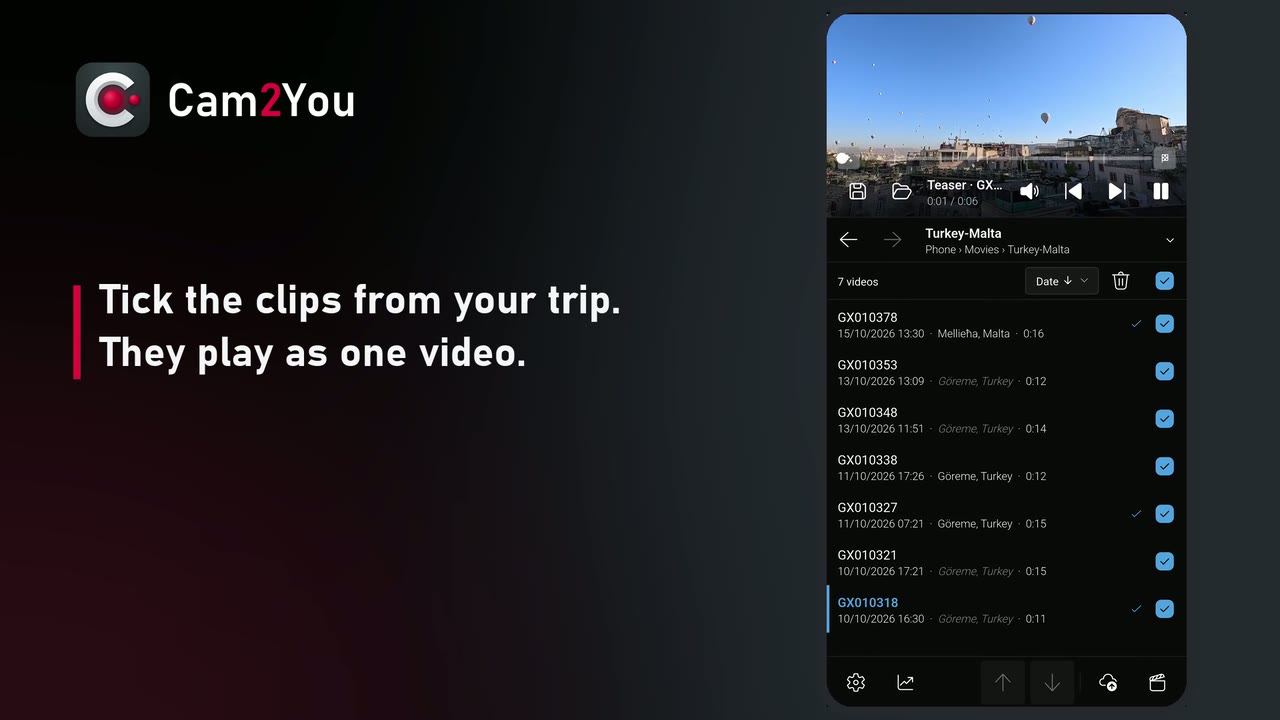
From action camera clips to a finished film, on a phone — 40 seconds, on YouTube.
What it does
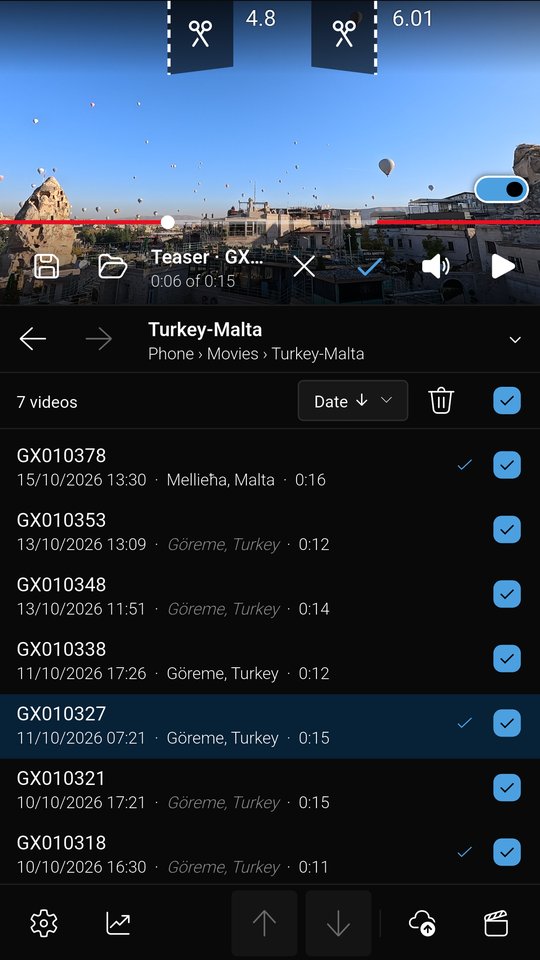
- Finds your videos on a GoPro connected by USB, over the camera's Wi-Fi or on your home network, as well as on memory cards, in folders and in your phone's gallery.
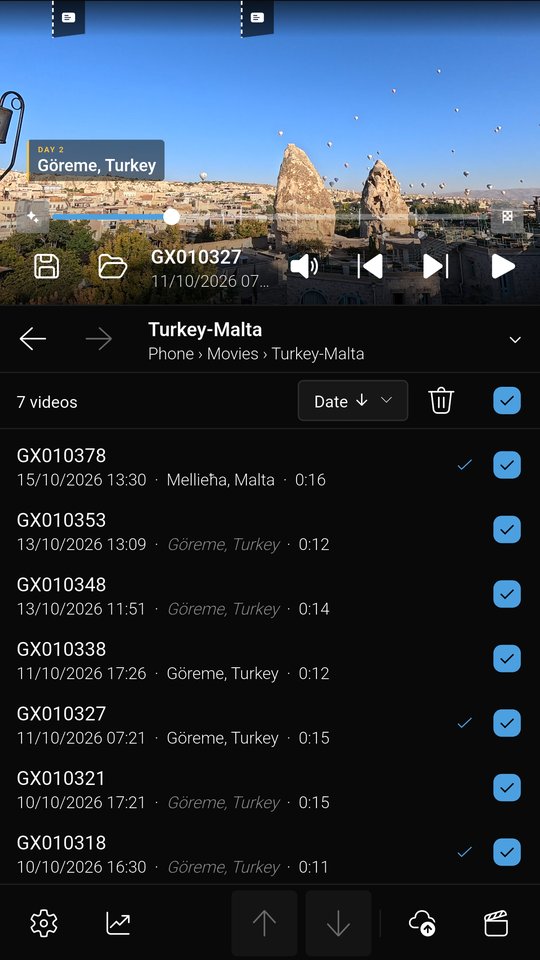
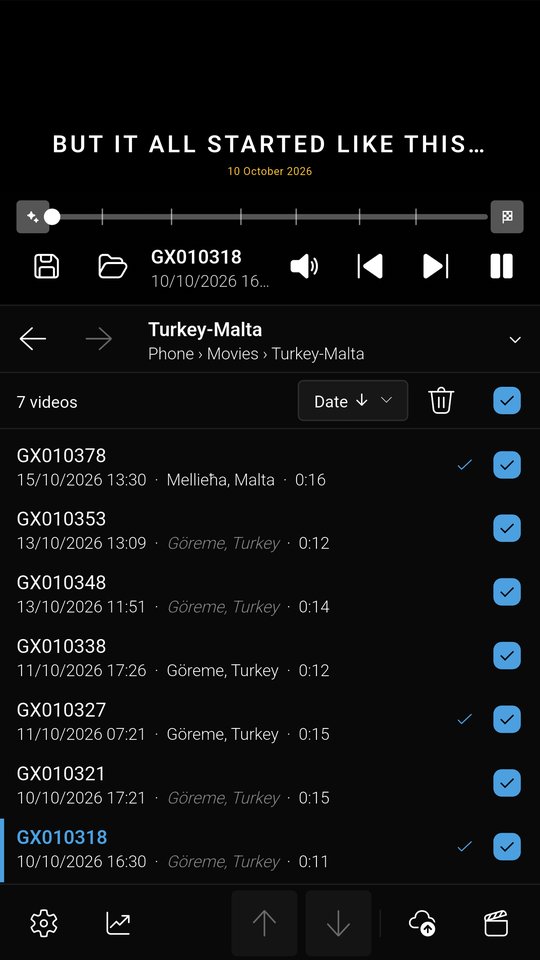
- Previews and cuts: trim the start and end of each video, or keep several parts of it, frame-exact. The ticked videos play as one, with the teaser, title cards and place titles the edit will have.
- Joins videos into one with a transition of your choice, or uploads them as a playlist in the order you arrange.
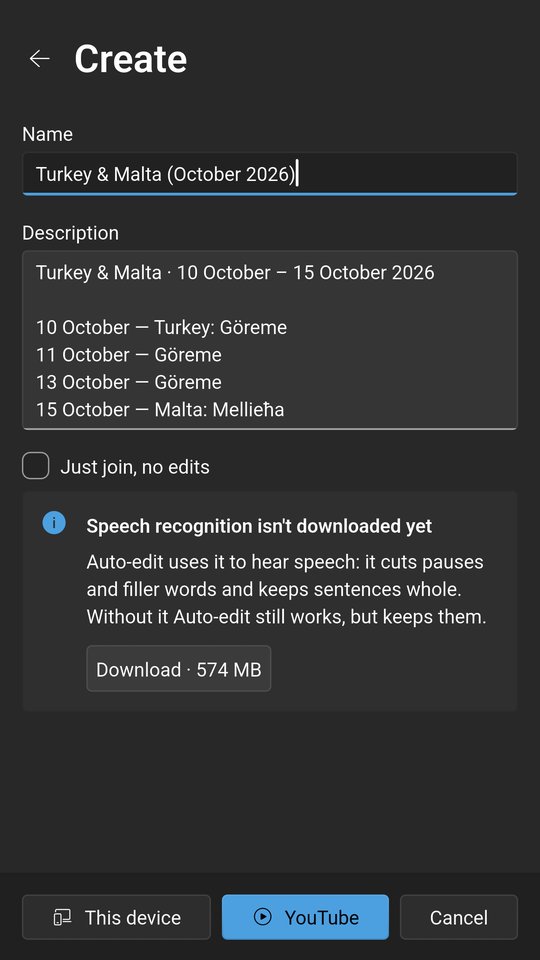
- Suggests names from where and when the videos were recorded, such as Rovinj, Croatia (August 2026), with the places in your language, using the camera's GPS and a place database built into the app.
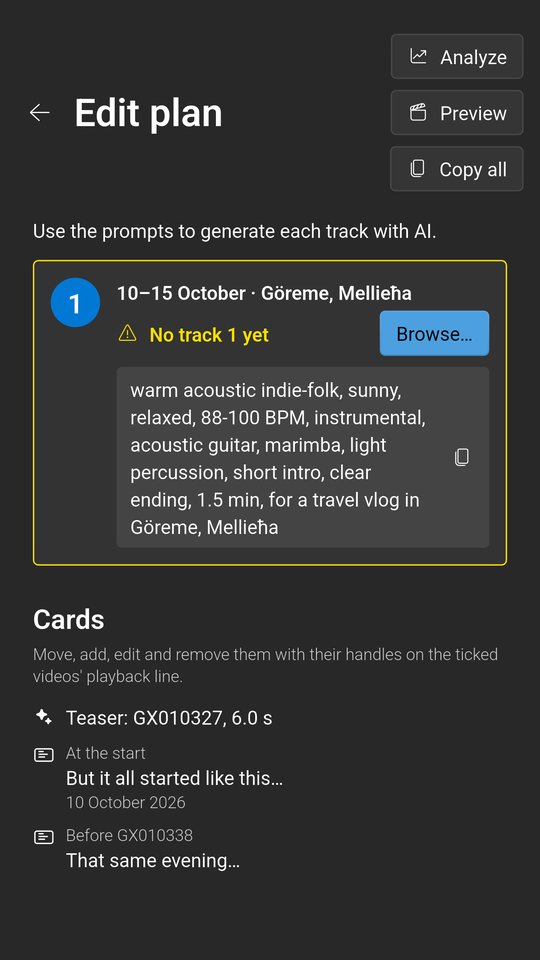
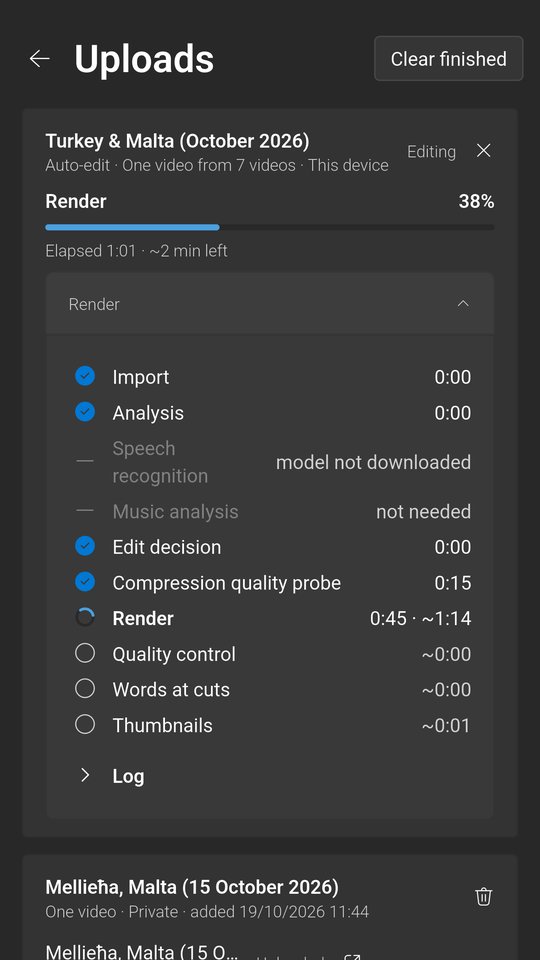
- Edits by itself (Pro): with Auto-edit, the videos you upload become one film, cut and put together on your device, with music if you like. Analyze plans it first: a teaser and an ending, title cards and place titles to move or rewrite on the playback line, and prompts to make its music with AI.
- Keeps your work: the folder, the ticked videos, their cuts and the edit are there when you come back, and Save and Load keep them under a name.
- Uploads reliably: a queue that resumes after interruptions and waits for YouTube's daily limits.
- Moves videos between your devices: PeerLink sends them between your phone and your computer on the same network, and Cam2You opens folders shared on your network (SMB, FTP).
Cam2You runs on Windows, macOS, Linux and Android, in 12 languages; the iPhone version is coming to the App Store. The Free plan uploads a few videos a day to one channel; Pro lifts the limits and adds Auto-edit and Music, with 30 days of Pro free to try.
How Cam2You uses your Google account
To upload, you connect your YouTube channel with Google sign-in. Cam2You asks for access to your YouTube account (https://www.googleapis.com/auth/youtube) and uses it only to:
- upload the videos you choose, with the title, description and privacy you set;
- create playlists and add your uploaded videos to them;
- check whether YouTube has processed each upload, and whether it is public or private;
- delete a video from YouTube only when you ask for it and confirm it.
Your videos travel directly from your device to YouTube. TIE-Games runs no servers that receive your videos or your Google data, and Cam2You contains no analytics or advertising. Details are in the Privacy Policy.